


100 Christmas Ornaments Laser Cut Files | SVG Mega Bundle for Glowforge, xTool & LightBurn, Digital Download

Trustscore 4.9 |
5,500+ reviews
100 Christmas Ornaments Laser Cut Files | SVG Mega Bundle for Glowforge, xTool & LightBurn, Digital Download
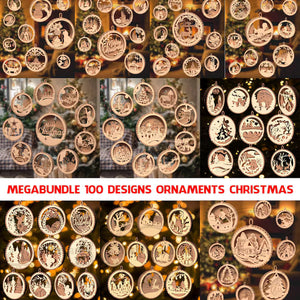
100 Ready-to-Cut Christmas Ornament Designs for Your Laser ✨🎄
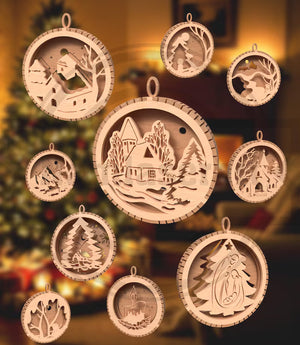
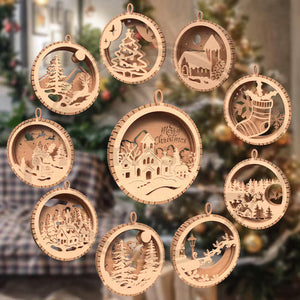
Fill your workshop (and your Christmas tree) with festive designs. This Christmas Ornaments Laser Cut SVG Mega Bundle includes 100 unique ornament designs, ready for your laser cutter. Make wooden, acrylic and cardstock ornaments for your own tree, gifts, craft fairs and your small business.
Instant download, so you can start cutting minutes after purchase.
What's Included
- ✅ 100 different Christmas ornament designs (confirm exact number with your supplier)
- ✅ File formats: SVG, DXF, PDF (add AI / EPS if included)
- ✅ Clean, cut-ready vector files (scalable, no rasterization needed)
- ✅ Designs for 3mm (1/8") material (edit to match your files)
- ✅ Instant digital download in a ZIP folder
Why You'll Love It
- 🔥 Laser-ready: works with Glowforge, xTool, LightBurn, Epilog, Thunder Laser and more
- 🌲 100 designs in one bundle: ornaments, snowflakes, trees, stars, bells and festive shapes
- 🎨 Customisable: add names, dates and engraving details
- 💰 Great value: one purchase, months of projects
- 🎁 Sell your creations: make finished ornaments to sell (see licence below)
- ⚡ Instant download: no waiting, no shipping
Perfect For
- Laser cutting hobbyists and makers
- Etsy and craft-fair sellers of handmade ornaments
- Personalised wooden ornaments and gift tags
- Acrylic, plywood, MDF, leather, paper and felt projects
- School, community and Christmas market crafts
- Seasonal side hustles
How to Use (Step by Step)
- Buy and download. After payment, download the ZIP file from your order confirmation page or email.
- Unzip the folder. Right-click and choose "Extract All".
- Pick your file. Use SVG for Glowforge, xTool and LightBurn. Use DXF for older or specialised software. Use PDF to preview the design.
- Open in your laser software. Import the file into Glowforge App, xTool Creative Space, LightBurn or your usual software.
- Check the size. Scale to your preferred ornament size (typically 3 to 4 inches / 7 to 10 cm).
- Set your material and settings. Choose your wood, acrylic or cardstock and use recommended power/speed for that material. Test-cut on scrap first.
- Cut and engrave. Run the job, then remove parts carefully.
- Finish. Lightly sand edges, paint or stain, add ribbon, and hang on the tree.
#LaserCut #Glowforge #xTool #LaserCutting #LaserCutChristmas #ChristmasSVG #LaserEngraving #LightBurn #MakerCommunity #WoodenOrnaments


